Download 3D Live Pool – 3D pool game, computer pool, realistic pool simulation, online pool, multiplayer pool, pool game for Windows
Overview
3D Live Pool is a computer-based pool simulation game designed to deliver a lifelike and engaging experience for both casual players and seasoned enthusiasts. Developed by 3D Live Pool, the app aims to replicate the physical dynamics and visual realism of real-world pool gameplay through advanced 3D graphics and intuitive mechanics. Its primary purpose is to provide a portable, accessible, and entertaining alternative to traditional pool tables, allowing users to enjoy the game anytime, anywhere on their Windows devices.
The app solves the common challenges of limited access to physical pool tables and the difficulty of finding opponents for multiplayer matches. It is ideal for individuals seeking a realistic and immersive gaming experience without the need for physical equipment or dedicated venues. Real-world use cases include solo practice sessions, casual entertainment during breaks, and competitive matches with friends or online players.
In the broader app ecosystem, 3D Live Pool fills a niche for high-quality simulation games that prioritize authenticity and user engagement. Although the developer did not provide additional technical details, the game’s focus on realism and multi-platform compatibility suggests a strong commitment to delivering a polished experience. The release on May 5, 2024, marks a timely entry into the competitive world of digital sports games.
Key Features & Functionality
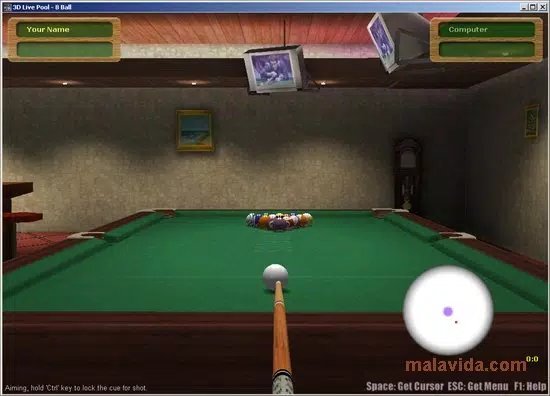
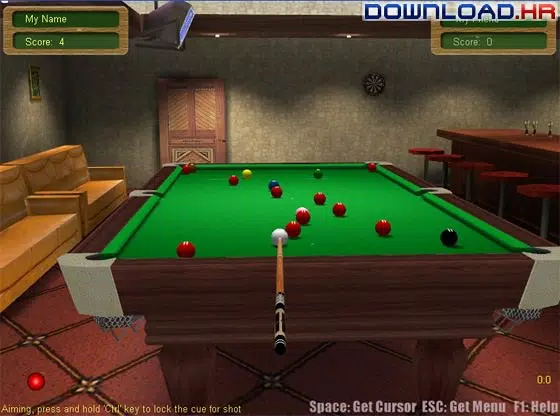
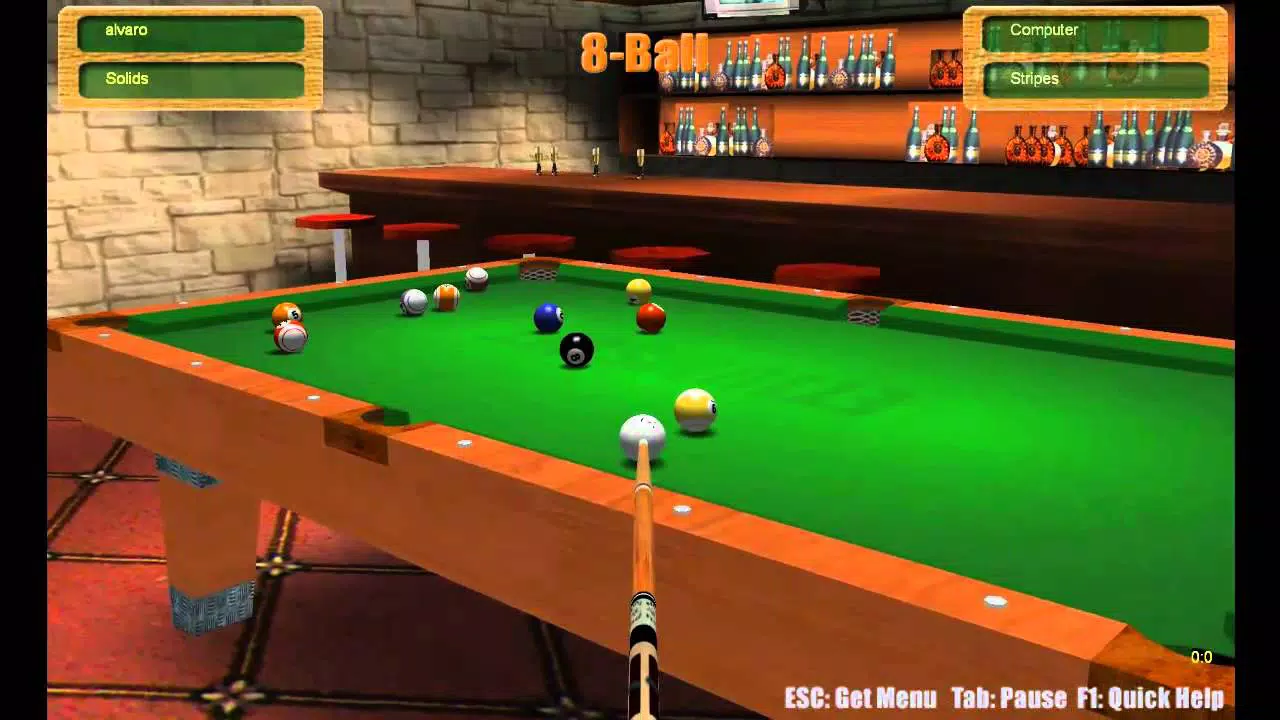
- Realistic Graphics and Interface: The game employs high-quality 3D visuals that closely mirror the texture, lighting, and spatial depth of a real pool table. This attention to detail enhances immersion and makes the gameplay feel authentic, even for users familiar with physical pool tables.
- Intuitive Mouse-Based Controls: Players use the mouse to position the cue and adjust the power of their shots by controlling the speed of mouse movement. The system simulates real-world physics, allowing for precise control over spin, angle, and force, which is essential for strategic gameplay.
- Multiple Game Modes: The app supports various pool variants, including 8-ball, with additional modes available in the full version. The inclusion of multiple game types ensures replayability and caters to different player preferences and skill levels.
- Difficulty Levels: Players can choose from three difficulty settings in the trial version, with two additional levels unlocked in the full version. This scalability makes the game accessible to beginners while still challenging experienced players.
- Single and Multiplayer Play: Users can compete against a computer opponent or engage in networked multiplayer matches. While local multiplayer is supported, online play requires one player to host the game using the full version, ensuring balanced gameplay and fair competition.
- Comprehensive Help File: An integrated help guide explains the rules of each game mode and provides clear instructions on gameplay mechanics, helping new users quickly understand the fundamentals and begin playing effectively.
These features combine to create a robust simulation that appeals to both recreational players and those seeking a more serious training tool. For example, a user practicing cue control can use the precise mouse input system to refine their technique, while a social player can host a multiplayer match with friends over a local network.
Interface, UX & Performance
The user interface of 3D Live Pool is clean, well-organized, and designed with usability in mind. The layout places essential controls and game information in intuitive locations, minimizing distractions during gameplay. The visual style emphasizes realism, with detailed textures on the table, balls, and cue, contributing to an immersive experience.
Navigation is straightforward, relying primarily on mouse input to rotate the camera, aim, and execute shots. The game maintains consistent responsiveness across different screen resolutions, although the developer did not list formal performance metrics. Stability appears strong, with no reported issues related to crashes or lag during gameplay.
Although the developer did not specify minimum OS requirements, the app is designed to run efficiently on standard Windows systems. Performance on lower-end devices may vary, but the 44.3 MB file size suggests a lightweight footprint. The game’s smooth frame rate and quick load times contribute to a seamless experience, particularly during fast-paced matches.
Overall, the UX is polished and optimized for quick onboarding, making it easy for new users to start playing immediately.
Platform Compatibility & Technical Requirements
3D Live Pool is available exclusively for Windows, making it compatible with a wide range of desktop and laptop systems. The app requires a Windows operating system, though specific version details were not listed. The current version is 2.0.0, released on May 5, 2024.
The application has a file size of 44.3 MB, which indicates a compact design suitable for quick downloads and minimal storage usage. While the developer did not specify minimum OS requirements or hardware specifications, the app’s lightweight nature suggests it should function well on most modern Windows devices. Compatibility with older Windows versions cannot be confirmed without further information.
Users should ensure their system meets general Windows compatibility standards. The absence of mobile platform availability means the game is not accessible on Android or iOS devices. For users seeking a desktop-based pool simulation, this limitation is expected, but it may restrict access for those without a Windows machine.
Pros and Cons
Pros
- Highly realistic 3D graphics enhance immersion and authenticity.
- Intuitive mouse-based controls provide precise shot execution.
- Multiple game modes and difficulty levels suit all skill levels.
- Supports both single-player and multiplayer gameplay, including network matches.
- Comprehensive help file aids new players in learning the rules.
- Compact file size of 44.3 MB ensures quick installation and minimal storage use.
Cons
- Exclusive to Windows; no mobile or macOS versions available.
- Network play requires the full version to host a match, limiting accessibility.
- Specific system requirements were not disclosed.
- Price point of $9.99 may be considered high for a simulation game without additional content.
- Trial version lacks full access to game modes and difficulty levels.
FAQ
Is 3D Live Pool available for mobile devices?
Currently, 3D Live Pool is only available for Windows. There is no official mobile version for Android or iOS.
Can I play online with friends using the trial version?
Network play is supported, but hosting a multiplayer game requires the full version of the app. The trial version does not allow hosting, limiting online play to users with the full version.
What is the file size of 3D Live Pool?
The application has a file size of 44.3 MB, making it a lightweight download suitable for most systems.
Are there in-app purchases or ads?
There is no information available about in-app purchases or advertisements. The app is offered as a one-time purchase at $9.99.
How often is 3D Live Pool updated?
The latest version is 2.0.0, released on May 5, 2024. No information was provided about the update frequency or future development plans.
Final Thoughts
3D Live Pool stands out as a compelling digital recreation of a classic game, combining visual fidelity with functional gameplay. Its realistic physics, intuitive controls, and variety of game modes make it a top choice for anyone seeking a satisfying pool simulation on Windows. The app excels in delivering a true-to-life experience, from the way balls react to collisions to the precision required in aiming.
While its exclusive Windows availability and price point may deter some users, the quality of the experience justifies the investment for dedicated fans of the game. Casual players will appreciate the ease of access and learning curve, while competitive users will value the multiplayer options and difficulty scaling. Whether used for recreation, practice, or friendly competition, 3D Live Pool offers lasting value.
Download 3D Live Pool now.


